
Stop expense fraud before reimbursement.
Fabricated receipts, altered totals, the same hotel bill on two reports. Assaya analyzes every receipt on every expense report, so finance teams review the exceptions instead of every document.
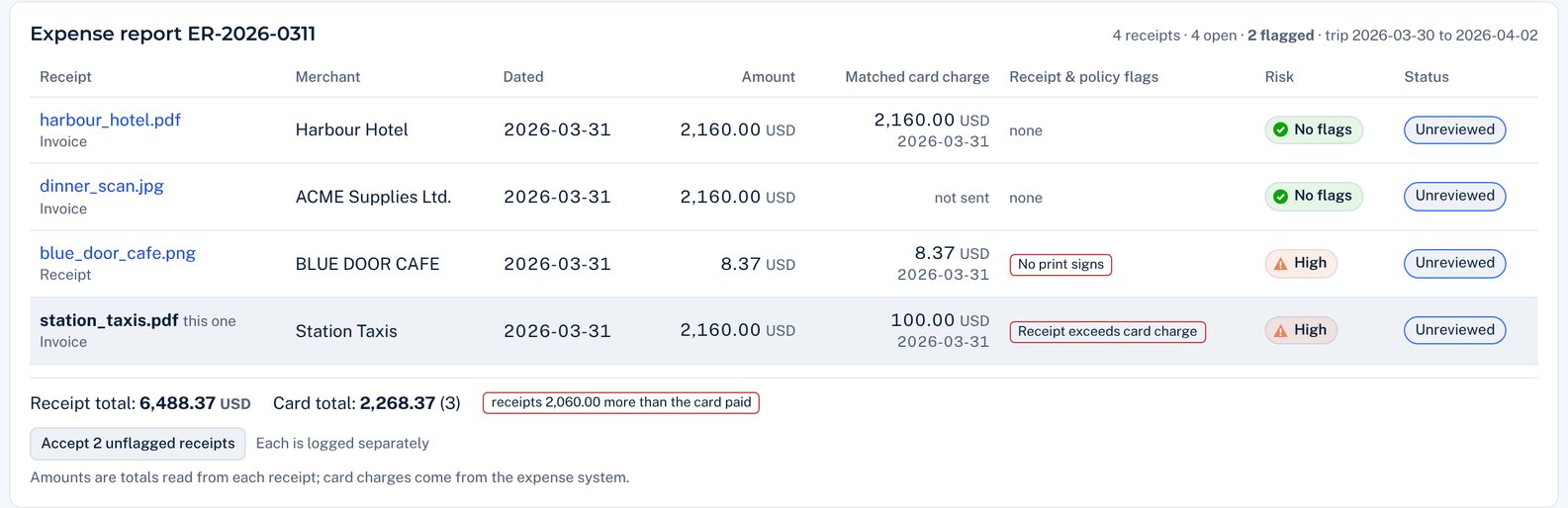
Six ways a fake receipt gives itself away.
Each flag says what was found and what to check next. Your reviewers decide.
Edited receipts
A total, date or merchant was changed after the receipt was issued.
Never on paper
A till prints receipts. One drawn on a computer, or filled in on a receipt-generator website, wasn't printed by a till.
AI-made images
The image says it was made by an AI tool. Some AI tools sign what they make, and Assaya reads that signature.
Against the card
The receipt's total, date and merchant don't match the card charge your expense system sends with it.
Outside the trip
The receipt, or the photo of it, is dated before the trip started or after it ended.
Claimed twice
The same receipt turns up on another expense report, or its number is out of order with that merchant's other receipts.
Examples come from Assaya's sample documents. AI tools that don't sign what they make can't be named this way; the other checks still apply to their output.
Review reports, not receipts one by one.
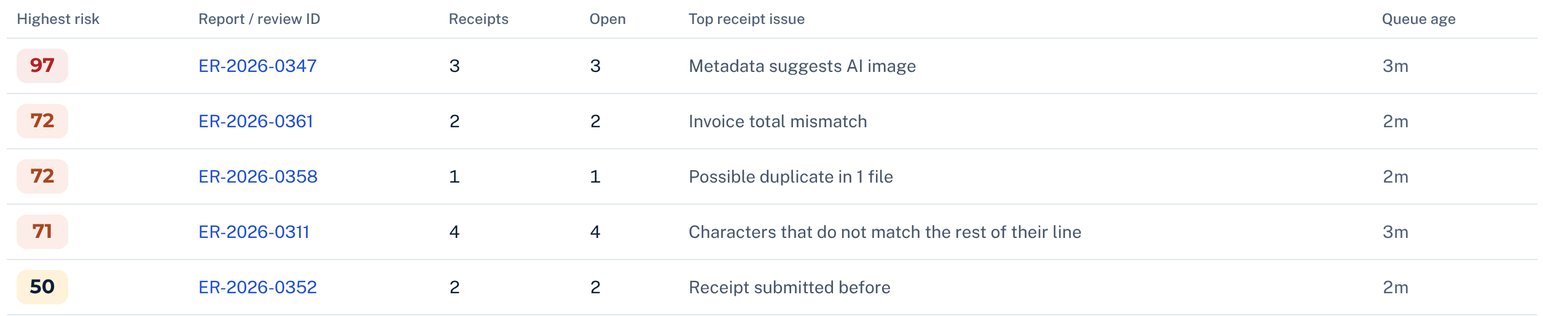
Expense teams see many small receipts. Assaya groups them by report, raises only what needs a person, and lets the rest go through together.
- Reports ranked by their riskiest receipt
- Approve a report's clean receipts in one step, each recorded
- Review starts at a higher score, to keep the queue small
- Reject a genuine receipt as personal, already reimbursed or over the limit
Alongside your expense system.
Receipts come in
Your expense system sends each receipt with its card charge and the trip's dates. Or upload them by hand.
Every receipt is tested
Within minutes, for edits, fabrication, the card, the trip and receipts claimed before.
The result goes back
A risk score and the reasons, in Assaya and back in your expense system. Policy rules stay where they are.
Receipts carry employees' personal data. Each customer's Assaya runs on its own, encrypted, with deletion on your schedule. Security · Privacy
Proof before payout.
See how Assaya surfaces fabricated, altered and reused receipts and explains each finding. A focused 30-minute walkthrough; no sensitive documents required.