
From document to evidence.
Submit, analyze, review the evidence, decide. Assaya fits the claims or expense workflow you already run: it explains every finding, and a person on your team makes every decision.
The four steps
Documents arrive
Your team uploads them, or your claims or expense system sends them automatically.
Each one is tested
The file, the page and the numbers are examined, then compared against every other claim or expense report.
Risk sets the order
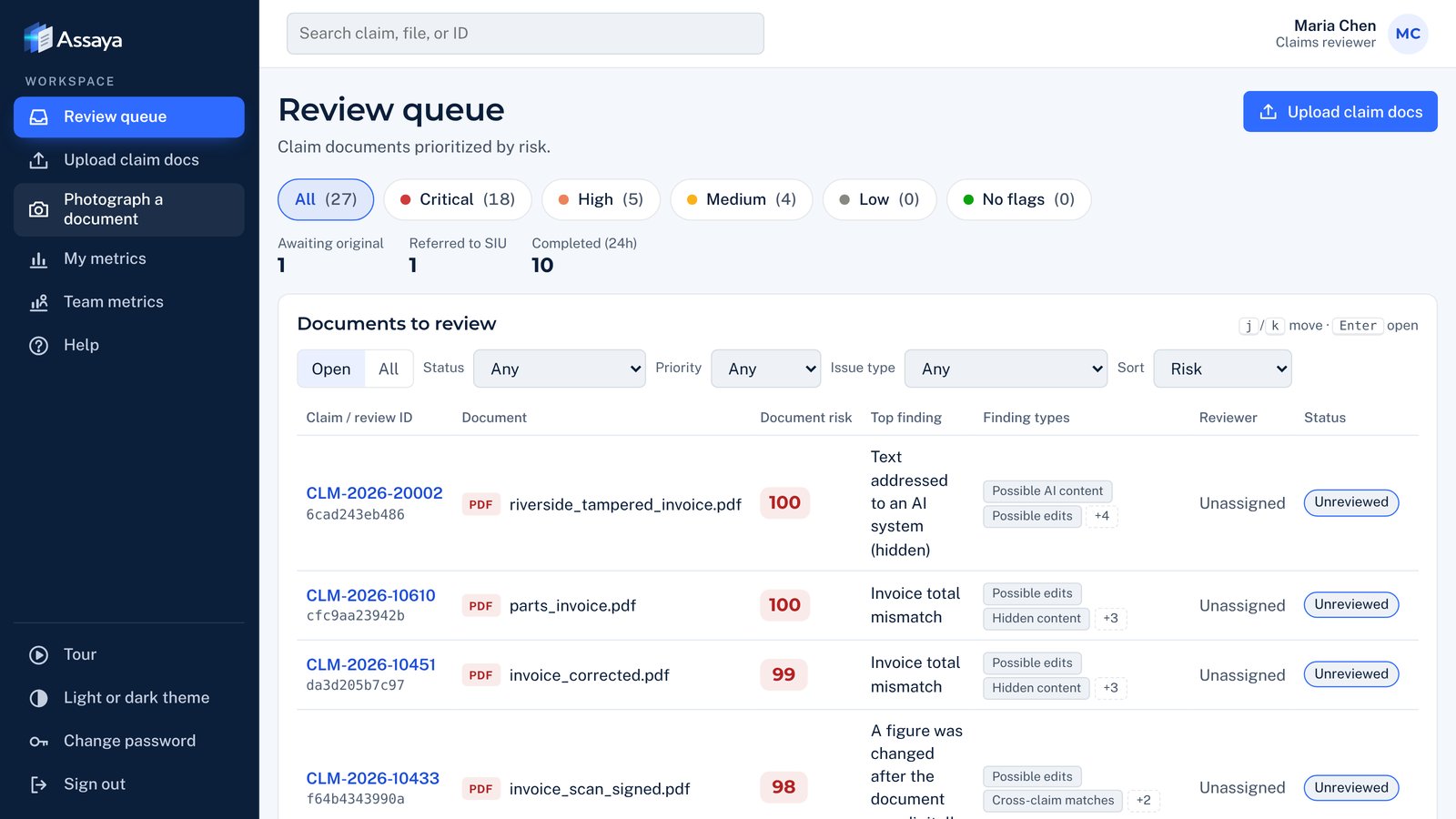
One list, highest risk first, with the reason for every flag in plain words.
A person decides
Approve, request the original or refer to investigations. Each case shows how to review it, and every decision goes on the record.
What changes for your team.
| Task | Today | With Assaya |
|---|---|---|
| Checking documents | Spot checks by eye, when there's time | Every document checked automatically |
| Deciding what to review | Oldest first, or gut feel | Highest risk first, with the reason shown |
| Honest claims | Wait in the same line as everything else | Move quickly once their documents check out |
| Referrals to investigations | A hunch and a forwarded email | Clear findings the investigator can act on |
| Repeat fraud | Spotted only if someone remembers | Linked across claims automatically |
| Explaining a decision later | Reconstructed from notes | A complete record of what was found and who decided |
Prove it on your own documents first.
Test it on closed claims
Run past claims or expense reports through Assaya and compare its flags with outcomes you already know.
Connect your systems
Our team links Assaya to your claims or expense system and single sign-on.
Go live with one team
Start with one line of business, region or department, and train the people who'll use it. A built-in tour and guide explain every screen, so new reviewers can find their way from day one.
Expand
Add teams and document types as the results come in.
Everything is one menu away.
The review queue, uploads, your team's results, help and photographing a paper document with your phone or tablet sit in the menu on the left, always in reach. On a phone the menu folds to icons. The rest of the screen stays on the work.
Proof before payout.
See how Assaya highlights suspicious findings, explains what triggered them and gives reviewers what they need to take the next step. A focused 30-minute walkthrough; no sensitive documents required.