
Detect suspicious documents before they influence claim decisions.
Identify altered invoices, fabricated supporting documents, duplicate submissions and inconsistencies across claim evidence. For claims teams, SIU investigators and the leaders who run them.
Claim evidence that looks right is not always right.
A claim file can hold dozens of supporting documents. Reading them checks what each one says, not whether it was changed, made up or used before.
Altered invoices and estimates
A total, date or line item changed after the document was issued, with the change marked where it appears.
Fabricated supporting documents
An invoice or bill made from a template or a generator, for a business or a cost that never existed.
Duplicate and resubmitted evidence
The same invoice, photo or bill on another claim, or sent again with a different crop, and the original sent on request compared with the copy.
Inconsistencies across the claim file
A final invoice well above its estimate, an item billed twice, a claim form asking for more than its documents show, or a document dated before the loss.
Examples come from Celesis's sample documents.
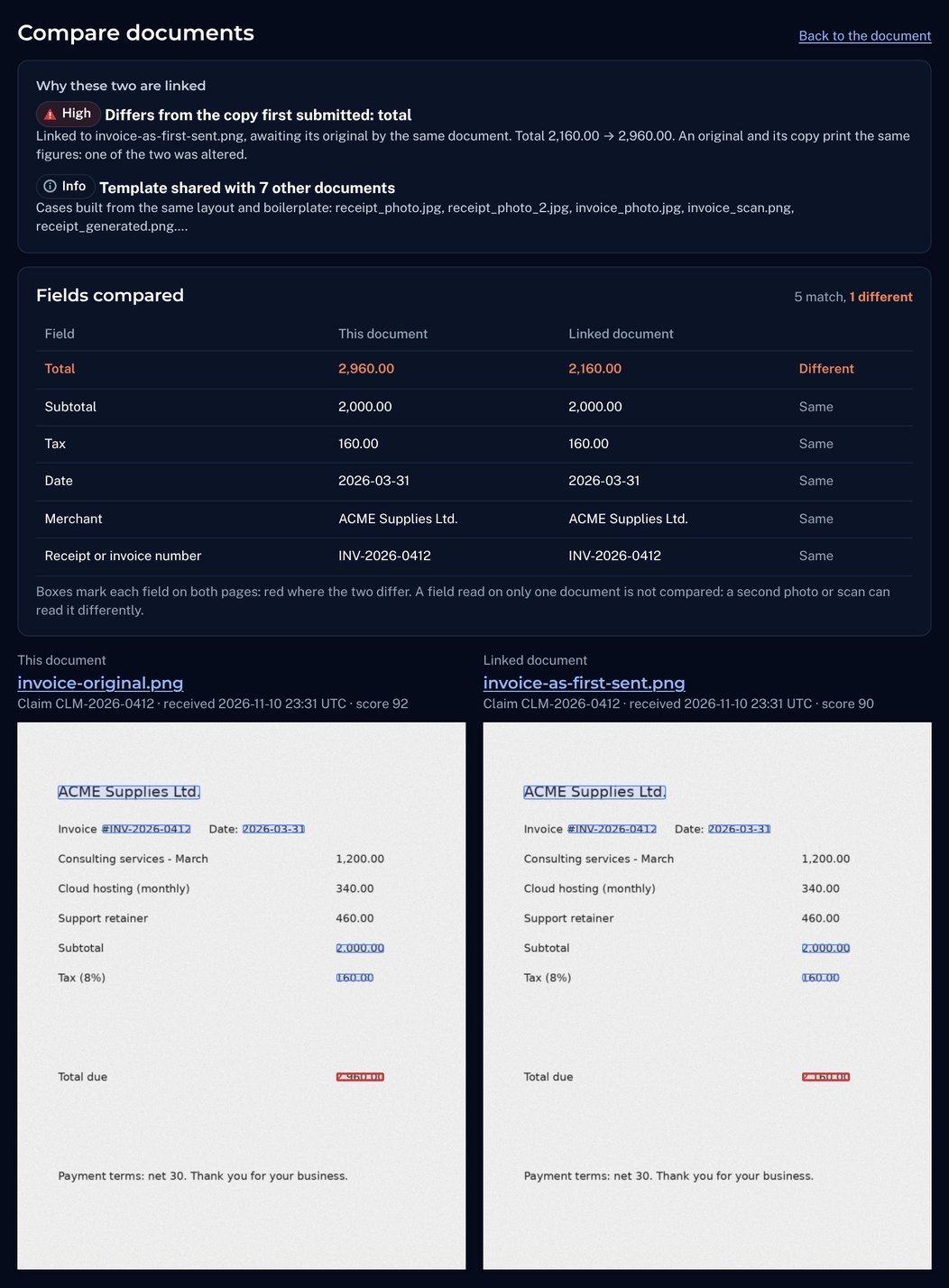
The original invoice, beside the copy in the claim file.
An adjuster asked the claimant for the original invoice. It came back with a different total. Celesis links it to the copy in the claim file, lines the two up and marks the changed figure on both, so an escalation to SIU starts from evidence, not a hunch.
- What changed, marked on both documents
- Why the two are linked
- A record that goes with the referral
From the claim file to a reviewable finding.
Documents arrive
An adjuster uploads them, or your claims system sends each supporting document as it lands in the claim file.
Each one is checked
The file, the page and the figures, then the rest of the claim and every earlier claim.
Risk sets the order
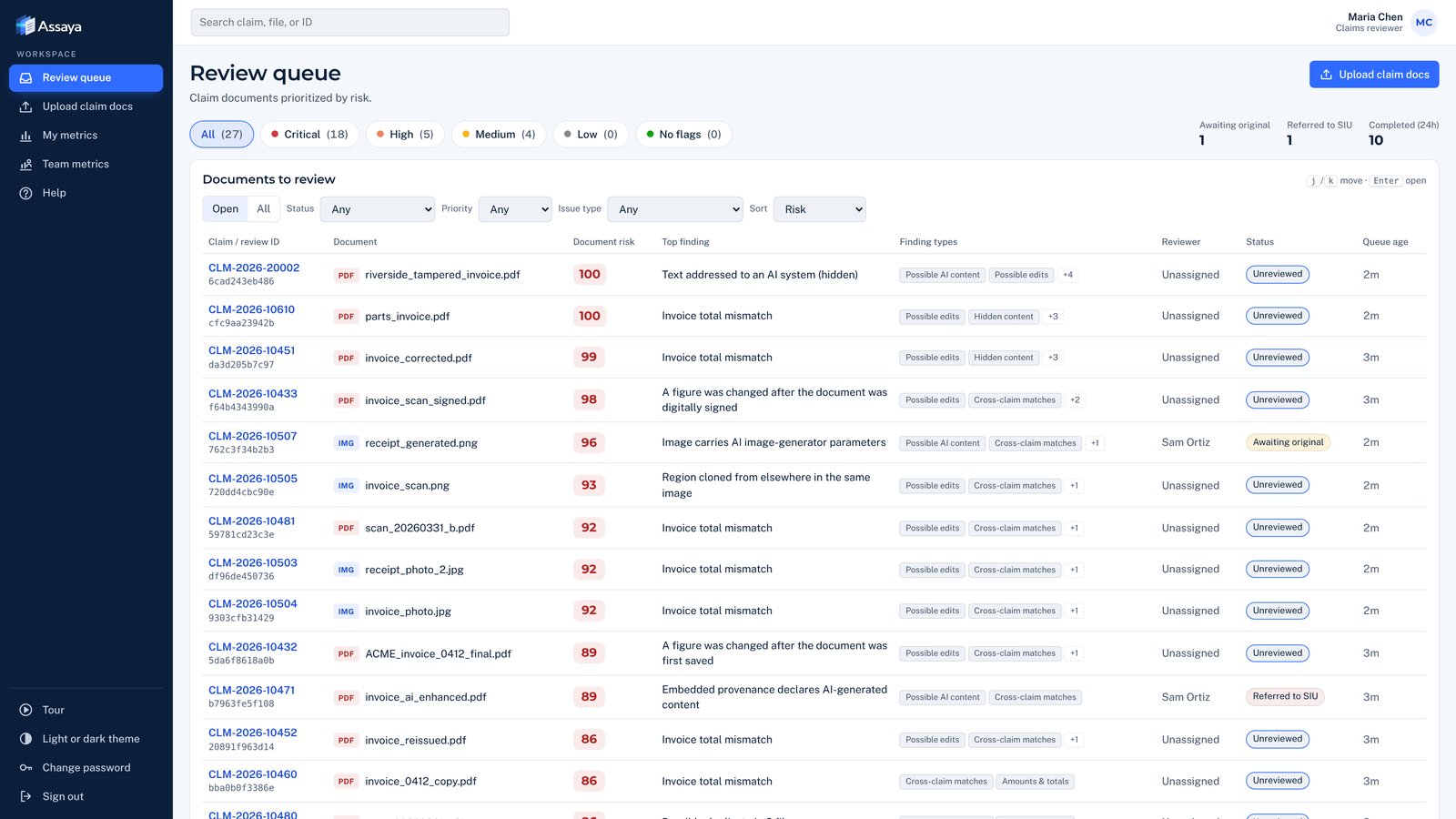
One queue, highest risk first, every flag explained in plain words.
A person decides
Accept, request the original, or escalate to SIU with the evidence. Every decision goes on the audit record.
Faster review, on the claims that need it.
Genuine documents clear on their own, so adjusters spend their time on the few that don't.
- One queue, highest risk first
- Every flag explained in plain words
- Faster payouts for honest customers
Stronger evidence with every referral.
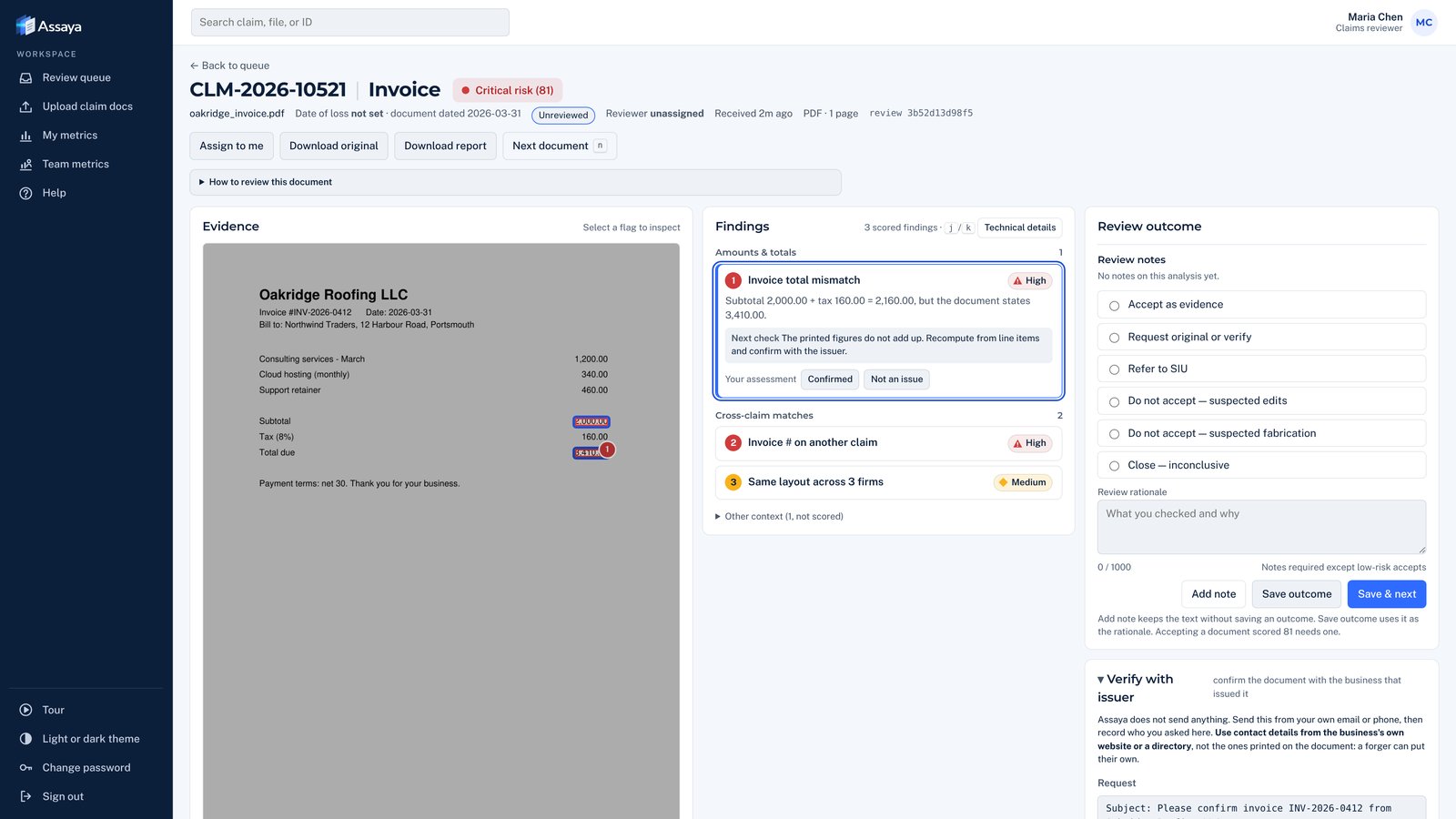
See exactly what was changed and where. Confirm one fake, and every other claim built from the same template is flagged with it.
- Changes marked on the page
- Links to related claims
- A complete record for the case file
Measurable outcomes, not anecdotes.
Track how flagged claims turn out, how fast decisions are made and how often each warning sign proves right.
- Results by risk level
- Decision trends over time
- Changes tested before they reach your team

Questions from claims and SIU teams
Which claim documents does Celesis check?
Repair estimates and invoices, medical bills, pay stubs, bank statements, receipts, hotel bills and claim forms, as PDFs or as photos and scans (JPEG, PNG, TIFF, WebP).
How does it connect to our claims system?
Adjusters can upload documents in the browser. Our team can also connect your claims system: Celesis takes each document from the claim file and sends the score and findings back to it, through the Celesis API and webhooks.
Where do our claim files go?
Into your own Celesis environment. Each customer's runs on its own, encrypted with its own keys, with originals kept unchanged and deleted on your schedule. Claim documents are never shared with other customers.
How often are genuine documents flagged?
Some are: on public test receipts, about one genuine receipt in ten reached Celesis's medium review line. Each finding says why, a reviewer can mark it not an issue, and a pilot on your closed claims measures the rate on your own documents.
Can an investigator rely on the findings later?
Every finding names what was found, marks where it is on the page and says what to check next. Decisions and who made them stay on the case record, and a signed evidence package, with the original file byte for byte, can go to SIU, legal or a fraud bureau.
How do we start?
With a pilot on closed claims: run past claims through Celesis and compare its flags with outcomes you already know. Then connect your claims system and single sign-on.
Security · PDF tampering detection · Duplicate document detection
See what your documents aren't telling you.
Discover how Celesis exposes altered and reused claim documents and gives your investigators the evidence they need to act. A focused 30-minute walkthrough; no sensitive documents required.